Introducing Basedash Embedding
Max Musing
 Max MusingFounder and CEO of Basedash
· May 29, 2026
Max MusingFounder and CEO of Basedash
· May 29, 2026
Max Musing
Max MusingFounder and CEO of Basedash
· May 29, 2026
Today we’re launching Embedding, which puts all of Basedash inside your own product. The customers using your app get dashboards and the Basedash AI agent on their own data without leaving your app.
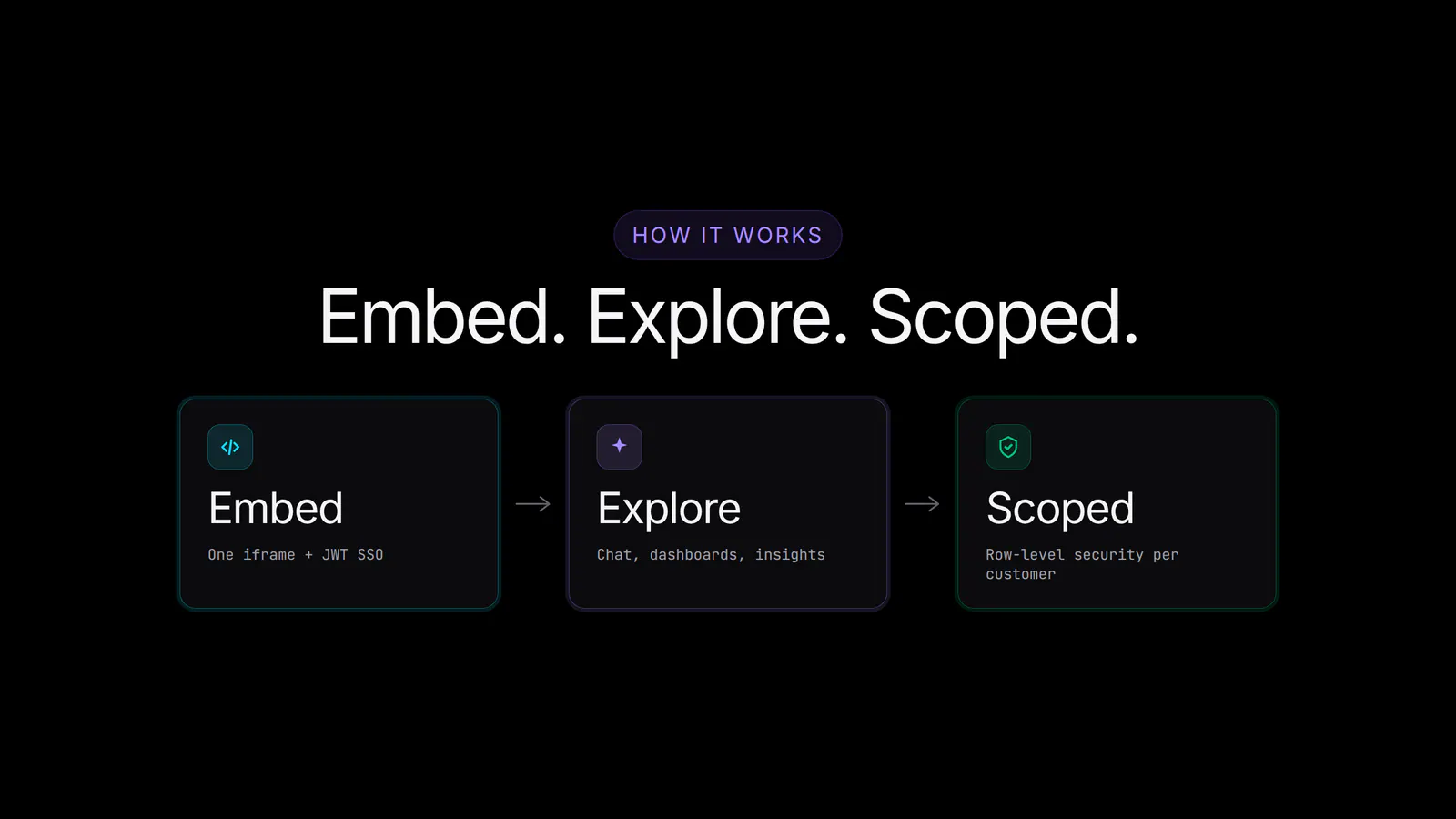
Embed a single chart or dashboard with one iframe, or embed the entire Basedash app so your customers can chat with the agent, build their own dashboards, and get automatic insights. Row-level security keeps every customer scoped to their own data, and customization controls let you decide which features they see.
Every B2B product eventually gets the same request: “Can we see our own data?” Your customers want analytics on the activity they generate inside your app (campaign performance, usage, spend, outcomes), and they want it where they already work, without a separate tool and a separate login.
Building that yourself is a project in its own right. Charting libraries, a query layer, permissions, multi-tenant data isolation, and a place for customers to ask their own questions add up to months of work outside your core product, and it’s never quite done.
Embedding turns that project into a feature you ship in days. You already trust Basedash internally to read your data and answer questions about it. Now you can hand that same experience to your customers, scoped to the data each one is allowed to see.
There are two levels of embedding, and you can use either or both.
Static embedding is the simplest. Build a chart or dashboard in Basedash, turn on a public embed link, and drop the iframe into your site or app. Viewers see a live, interactive dashboard with no Basedash account required. It works well for a public metrics page, a status board, or a single report you want to surface inside an existing screen.
Full app embedding goes further. Embed the entire Basedash app behind JWT-based single sign-on, and your customers get the whole experience inside your product: they can chat with the AI agent, build their own dashboards, set up automations, and get proactive insights, all on their own data.
For static embedding, it’s a share link:
For full app embedding, it’s an iframe plus a JWT your backend signs:
That’s the whole integration: one iframe and a signed token, with no SDK to install and no data pipeline to build.
Embedded analytics is hard to ship safely because of multi-tenancy: customer A must never see customer B’s data. Basedash handles this with row-level security.
When you generate the JWT for a user, you include the parameters that scope them, such as a company_id, a tenant_id, or whatever your model uses. Basedash locks those values server-side and applies them to every query that user’s session runs. Customers can ask the agent anything and build any dashboard they like, but they only ever touch their own rows. The locked values can’t be tampered with from the browser, because they’re signed into the token your server controls.
The same mechanism powers secure filtering on static dashboard embeds: sign the locked filter values into the URL, and each viewer sees a dashboard filtered to their own slice of the data.
Embedded Basedash is yours to shape:
Turn features on as your customers are ready for them. Start with read-only dashboards, then open up the agent and dashboard building when you want a more self-serve experience.
Most often, we see a B2B product that already has a customer-facing dashboard add real analytics without building a BI tool from scratch.
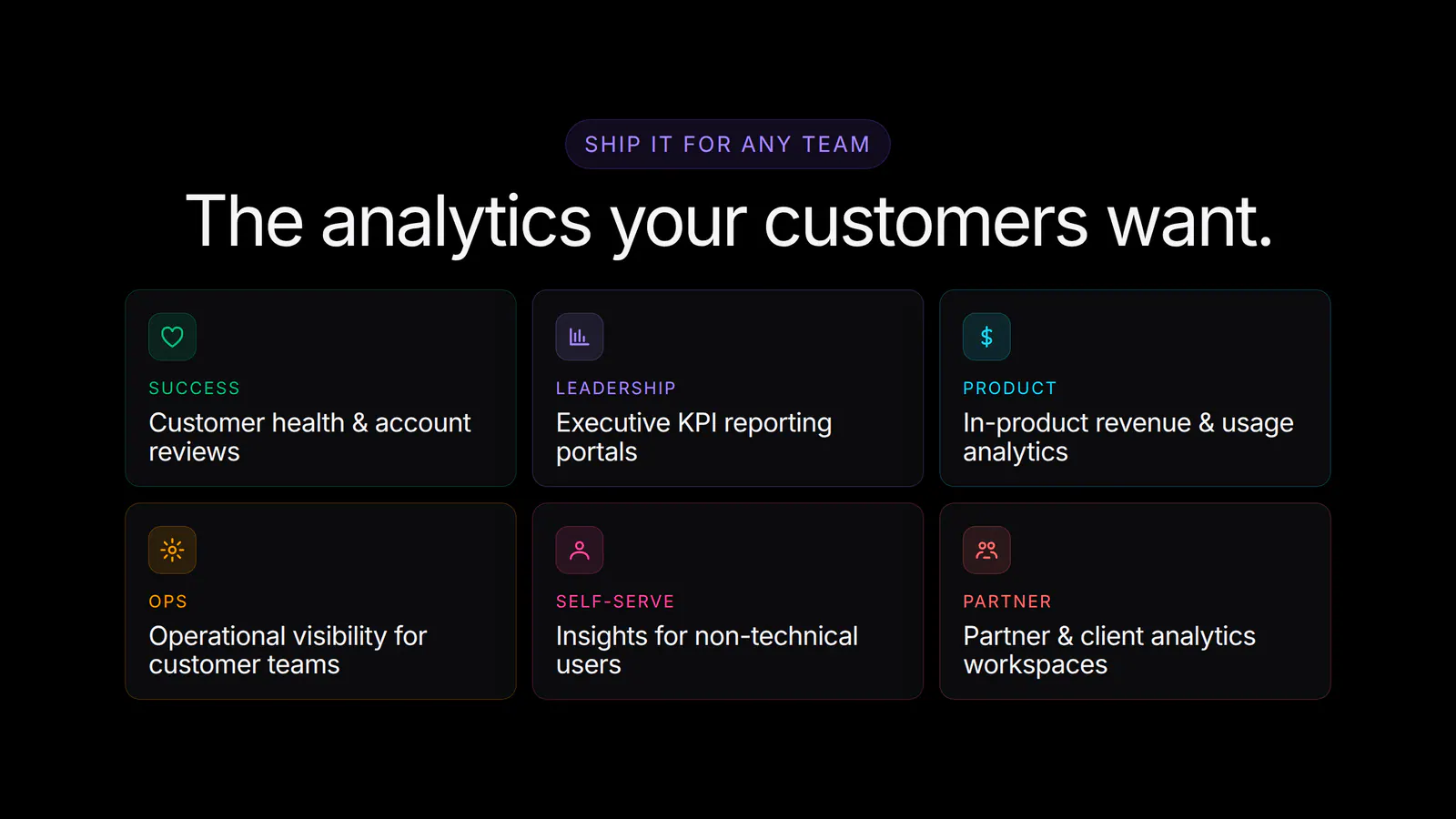
Internally, we’ve used the same embedding primitives to surface scoped Basedash views in our own tools, which is how we know the full app embed and row-level security hold up under real multi-tenant use. Your customers get an analyst instead of a static export. They can follow up, slice differently, and build the view they wanted, all without a single support ticket landing on your team.
Embedding is available today for all Basedash workspaces.
For setup details, JWT claims, customization options, and row-level security, see the Embedding feature page or the embedding docs.
Embedding extends everything Basedash already does, including AI chat, the Dashboard Agent, Insights, and Automations, to the customers who use your product. The same governed analytics you run internally becomes a feature you can ship.
Embed Basedash today to give your customers analytics inside your product.
Written by

Founder and CEO of Basedash
Max Musing is the founder and CEO of Basedash, an AI-native business intelligence platform designed to help teams explore analytics and build dashboards without writing SQL. His work focuses on applying large language models to structured data systems, improving query reliability, and building governed analytics workflows for production environments.
Basedash lets you build charts, dashboards, and reports in seconds using all your data.